Plener
—Poses
A pose library made for shooting, not for scrolling before bed. Every pose knows who it's for, where it works, and what to tell the person in front of the camera.
Works in the browser · iOS and Android apps — coming soon
Who it's for
For shoots where the person in front of the camera isn't a model
You're just starting out
You know your camera, but you have three poses in your head. Here there are hundreds for your location, each with a note on how to explain it.
Couples and families
The more people in frame, the faster you run out of ideas. Tell Poses who's coming, and it shows only what works for that group.
You've been shooting for years
Same location every week, and your hands reach for the same shots. A fresh set shakes it up and reminds you of things you haven't shot in a while.
How it works
From filters to a finished shoot
Describe the shoot
Pick the location, style, who's in frame, lens, and framing. If your client is pregnant or older, mark it, and uncomfortable poses drop out.
Get your set
Poses picks poses for exactly these conditions. If there are few exact matches, it adds similar ones and tells you so.
Build the shoot
Flip through the set and add what you like to the shoot. Any pose can get a note of your own.
Shoot
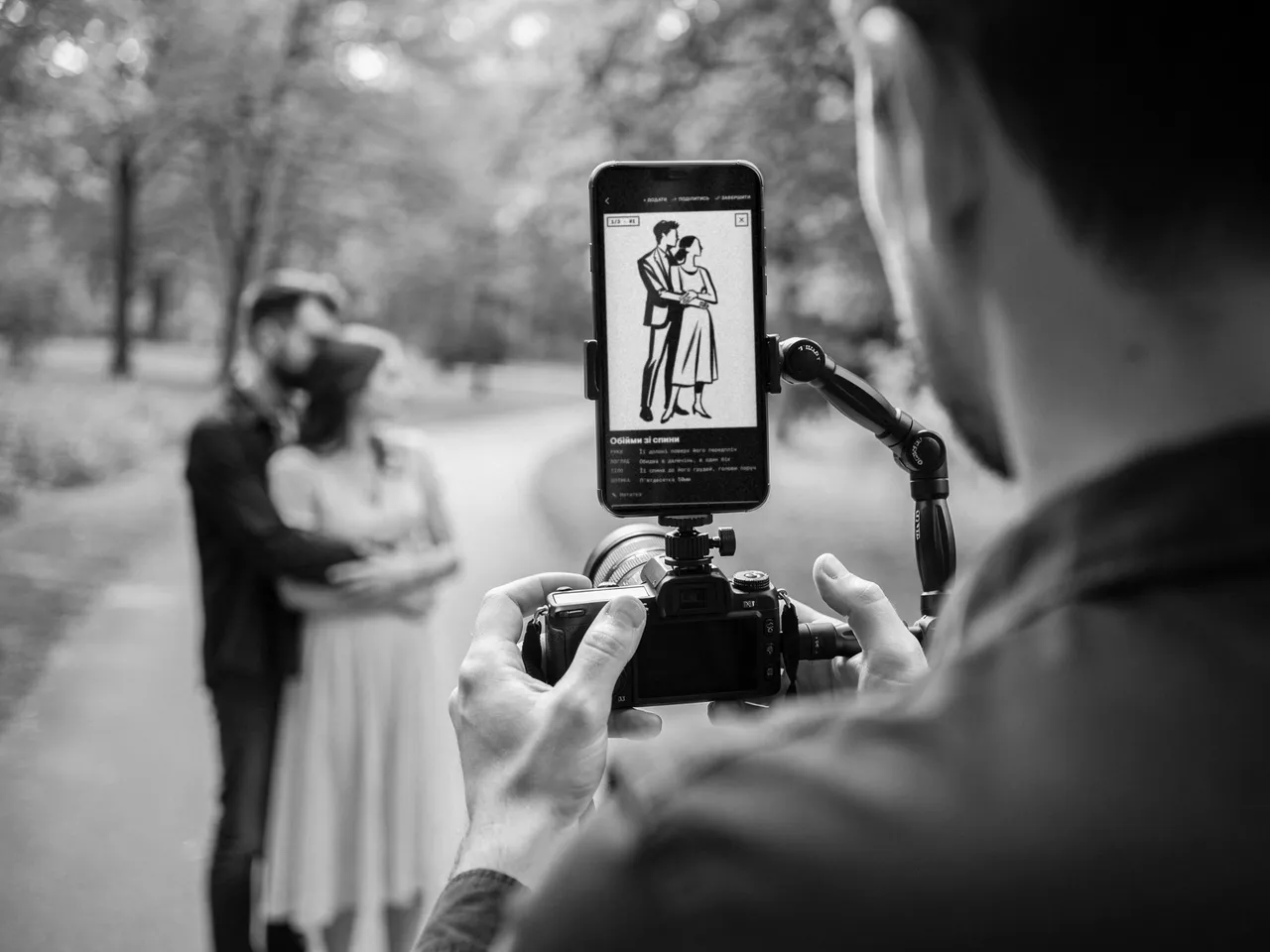
On location you flip through poses with one finger and tick off what you've shot. To check the frame, lay the pose sketch over the camera.
Repeat what worked
A finished shoot is saved in your history. You can repeat it or turn it into a template for future clients.
Features
What's inside
Over a thousand poses
Solo, couples, families, kids, mom and child, groups of friends. Street, home, studio, park, city, nature, beach, and even a rooftop.
Cues
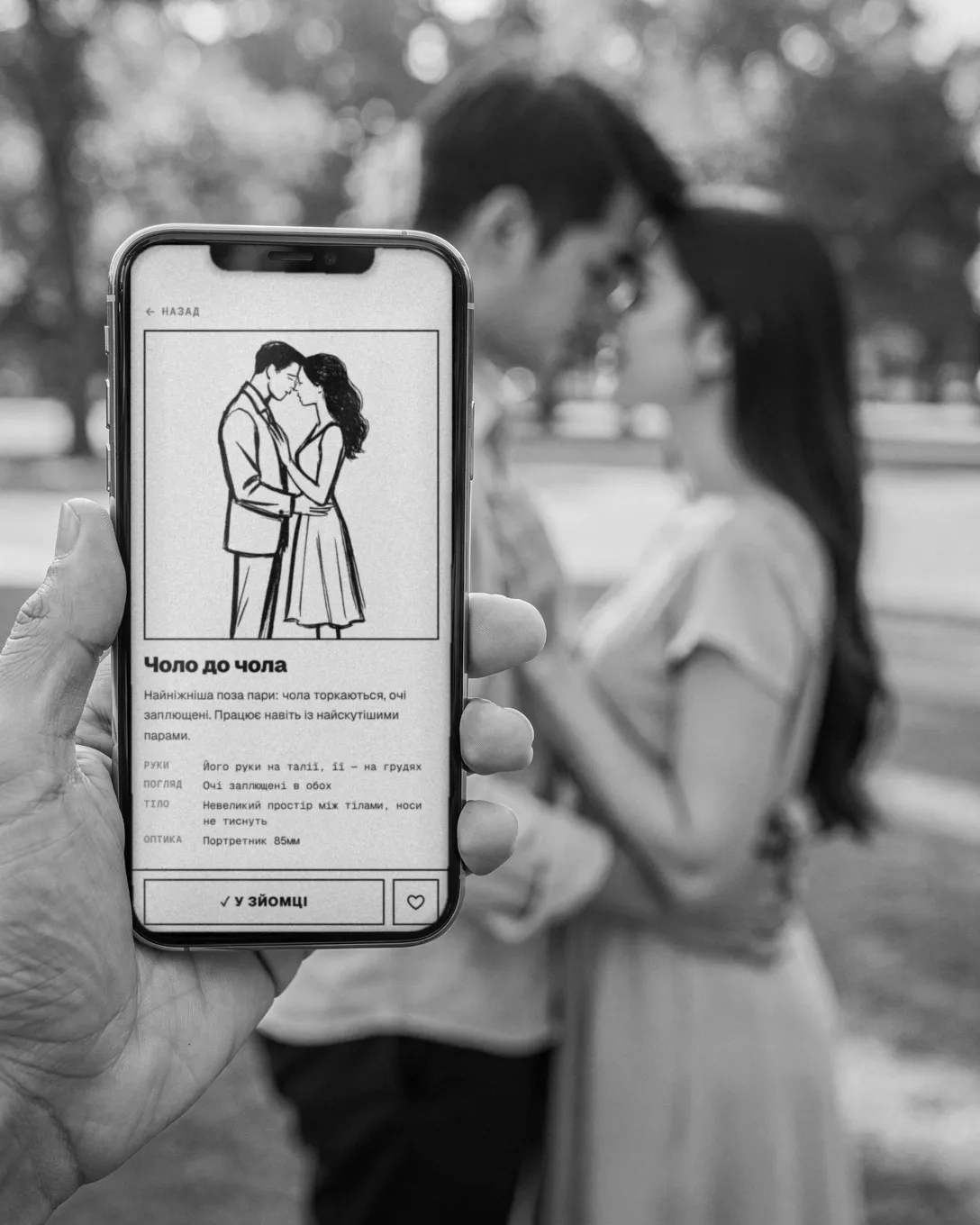
Each pose tells you what to do with the hands, where to look, how to hold the body, and which lens to use. Short enough to read and say in your own words.
Sketch over the camera
The pose outline sits over the camera view, with adjustable opacity. You see right away what to fix in the frame.
Offline
The app downloads everything for the shoot in advance: poses, notes, sketches. When the signal drops, nothing disappears.
A shoot by link
Send a shoot to your client or assistant — they open the poses in a browser, no sign-up.
Search
Besides the sets there's the full catalog. You can search it with words, not just filters.
Pricing
Free and Pro
- Free
- Solo portraits on the street and indoors: several hundred poses with cues, plus shoot mode.
- Pro
- The whole library: couples, families, kids, studio, nature. Plus filters by style, lens, framing, and client specifics.
You buy Pro in the app: monthly, yearly (the first 7 days are free), or forever with a single payment. The App Store shows the price in your currency.
Questions
Frequently asked
Where does Poses work?
Right now, in the browser, on your phone and your computer. The iOS and Android apps are getting ready for the stores.
What's in Free?
Solo portraits on the street and indoors, with cues, shoots, and notes. Pro poses are visible too, with a lock, so you can see what the subscription unlocks.
Which languages?
Ukrainian, English, and German. The pose cues are translated too.
How do I sign in?
With Google, and in the apps with Apple too. The same account works in every Plener product.
Put tomorrow's shoot together in ten minutes
The free version has no time limit. Pick a location and who's coming — and see how many poses you haven't tried yet.